 ReelShift
Clip live.
Grow faster.
While you stream, ReelShift's AI catches your best moments and turns them into captioned, ready-to-post clips. Your next clip is ready to post while chat is still going off.
Free for 7 days. Nothing charged today · cancel anytime
Twitch · YouTube · Kick · TikTok + uploads & URLs on Creator Plus
 ● cam
● camViral moments,
clipped live.
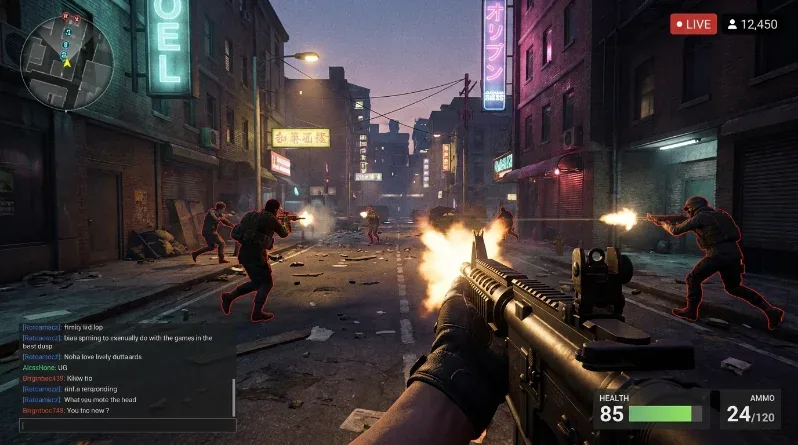
From live moment to ready to post clip in seconds. Auto-detected, word-captioned and reframed for any platform, while you keep streaming. You stay in control: pick the keepers, post when you're ready.
Stream in.
CLIPS out.
We watch your live signal
Connect Twitch, Kick, YouTube or TikTok, or drop a file or URL. AI listens from the second you go live.
Moments cut in seconds
Hot takes, big plays and loud moments get clipped, captioned and reframed, automatically.
Ready while you're live
Ready-to-post shorts for TikTok, YouTube and Instagram. All before the moment goes cold.
Built to make
clips go viral.
It knows when you nail it.
The model follows what you say, loud moments and kills and wins on screen in real time. When the moment lands, the clip is already being cut. No scrubbing through 6 hours of VOD.
Captions that hit, word by word.
Animated, on-brand subtitles burned in automatically, because 80% of shorts get watched on mute. No timeline, no typing, no font fiddling.
Always framed. Always on you.
Smart cropping tracks the action and keeps you perfectly centered, reframed automatically for whatever format you need. Face-cam, gameplay or both, ready for wherever it's headed.
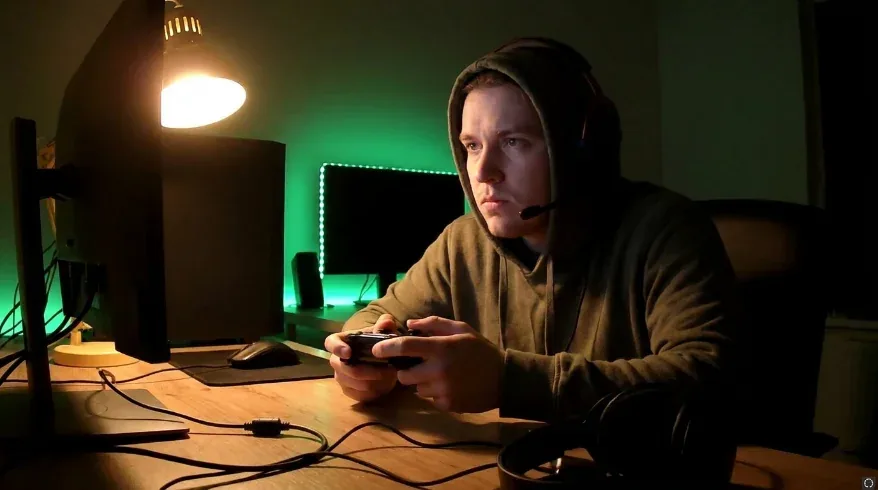
Just say "clip that."
Saw it happen? Say "clip it", "clip this" or "clip that" on stream and the last 60 seconds get cut, captioned and tagged in your library. No hotkey, no bot, no setup: if your mic is in your stream, it just works. Every platform, every plan.
One moment. Every feed.
Each clip comes out export-ready for TikTok, YouTube Shorts and Instagram Reels, while your competitors are still waiting for their VOD to upload.
 READY
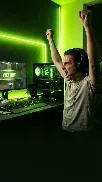
READYYour clip is ready before theirs even renders.
Short-form is how streamers get found, and a moment only trends once. Eklipse and Opus wait for your VOD to upload. ReelShift has the clip cut and captioned while the stream is still going.
WORKS WITH
 Twitch
  Kick
Kick  Whop
Whop  OBS
OBS  YouTube
  TikTok
  Streamlabs
  StreamElements
Pick your plan.
Every plan starts with a 7-day free trial: 1 channel and 5 streaming hours to try it on a real stream. Nothing is charged today, and we email you the day before it ends.
For solo streamers getting started.
- 1 channel
- 50 streaming hours
- Unlimited clips
- Say "clip that" to clip on demand
- Clip editor
- Supports Twitch, Kick, YouTube & TikTok
For creators going all in.
- Up to 3 channels
- 120 streaming hours
- Everything in Creator, plus
- Local files & URL uploads
- Scheduled posting
- Hands-on support
For teams running clips for clients.
- Up to 10 channels
- 400 streaming hours
- Everything in Creator Plus, and
- AI automation
- Priority GPU access
- Dedicated support team
- Brand templates
All plans include auto-detection, "clip that" voice command & captions · Prices in USD
Free trial: 7 days, 1 channel, 5 streaming hours, card required, one per person
Get paid to clip.
See all campaigns →

Hosted on Content Rewards and paid out through Whop. ReelShift does not run these campaigns and is not affiliated with either company.
Good to know.
What counts as a channel?
A channel is one connected stream source, like a Twitch, Kick, YouTube or TikTok account. Your plan sets how many you can connect at the same time.
Do you post clips for me?
Only if you tell us to. Clips come back captioned and ready. You review them, pick the keepers and post when you want. On Creator Plus you can also schedule approved clips to post automatically. Either way, nothing goes out without your say-so.
Can I clip a moment myself?
Yes. Say "clip it", "clip this" or "clip that" out loud while you stream and ReelShift cuts the 60 seconds before you said it. It lands in your Clips tab a few minutes later with a "clip that!" tag so you can spot it. Your mic just has to be part of your stream audio. Works on every platform and every plan.
Are clips really unlimited?
Yes. Every plan includes unlimited clips; what is metered is streaming hours, the time we spend watching your live channels each month. Most streamers never reach their plan’s hours. If you do, clipping pauses until your next billing date, when your hours renew, or you can buy extra hours any time: $15 buys 10 hours ($1.50 an hour), they never expire, and they are only used after your plan hours run out. Clip as much as you stream; there's no monthly allowance to run out of.
How long do my clips stay?
Clips stay in your library for 30 days. Download the ones you want to keep, or let ReelShift post them straight to your accounts; posted clips live on the platform, not with us.
What can I clip from?
Live streams on Twitch, Kick, YouTube and TikTok on every plan. Creator Plus also lets you upload video files or paste in video URLs.
Can I cancel anytime?
Yes. Cancel whenever you like and you keep access until the end of your paid period.